- A manual backlink check verifies live links using Search Console, search operators, raw HTML source, and browser DevTools.
- Manual audits confirm link presence, anchor text, indexing, and rel tags directly without expensive subscription software.
- Follow our four inspection methods to verify guest post placements and catch JavaScript traps before paying publishers.
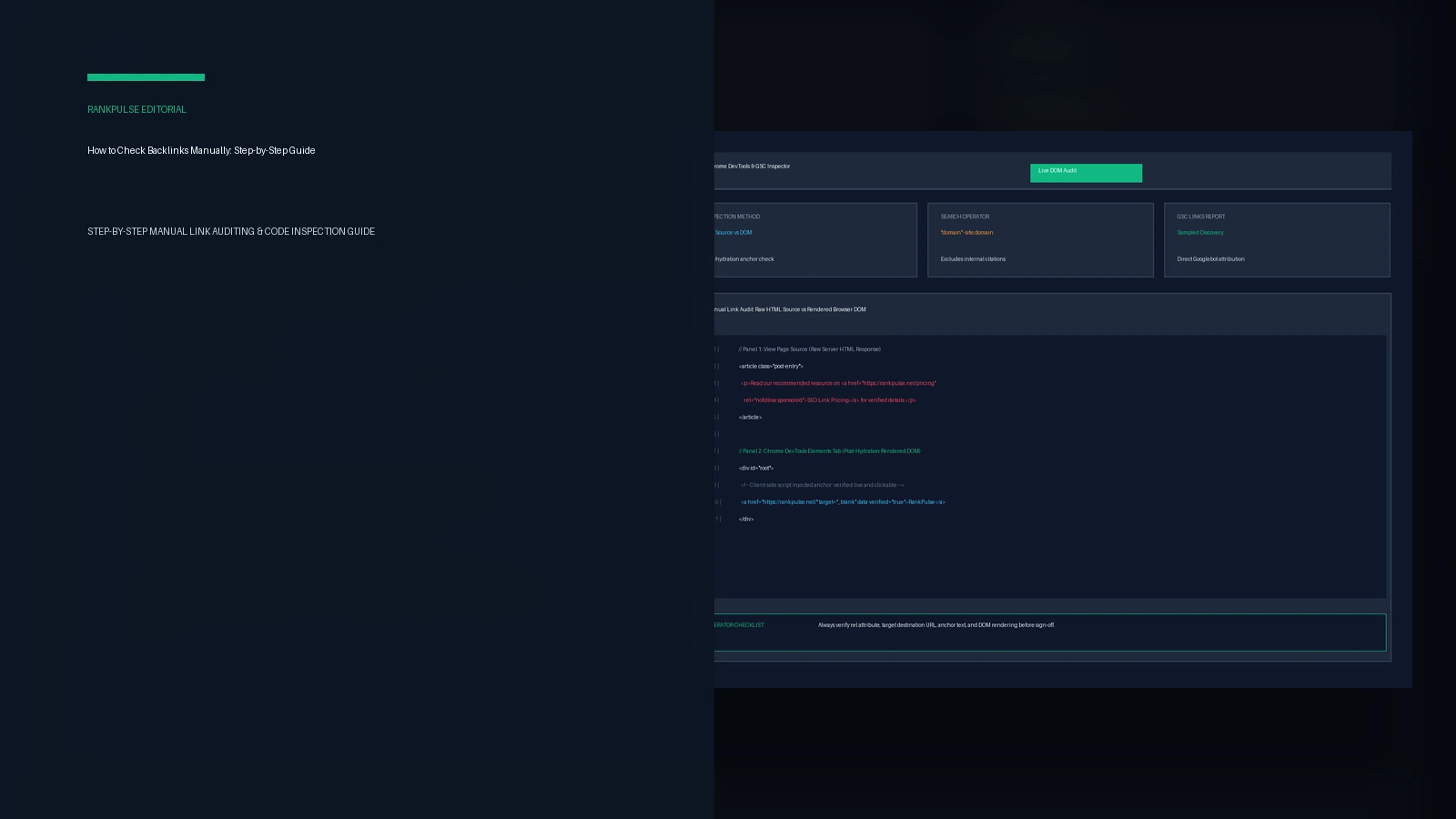
To check backlinks manually without third-party software, audit Google Search Console, run exact-match search operators, and inspect both raw HTML and rendered DOM via browser DevTools. Subscriptions cost hundreds every month. Paid tools take weeks to spot new links, and search engines ignore their private scores anyway. Checking code yourself gives you the real truth right away. You can see the exact HTML tags that search bots read.
Audits confirm delivery. Our guide on how to evaluate guest post links outlines criteria for reliable partners. Once an article appears online, checking source code ensures that the publisher delivered the exact link attribute you negotiated.
Comparing manual backlink audit methods
Each verification method solves a specific problem, and choosing the right step saves valuable time during your audit.
| Inspection method | Best used for | Required tool | Coverage scope |
|---|---|---|---|
| Search Console Links report | Auditing owned domains | Google Search Console | Sampled authoritative list of Google-discovered links |
| Search operator queries | Auditing competitor citations | Google Search engine | Surfaces a limited sample of public mentions and linking pages |
| Raw HTML view-source | Verifying static HTML links | Web browser view-source | Immediate confirmation of server-rendered anchor tags |
| DevTools rendered DOM | Catching JavaScript injection | Chrome or Edge DevTools | Full visibility into post-hydration client-side links |
Each method gives you clear facts. Google Search Console reveals what search bots find. DevTools confirms if scripts rewrite links after page load. Using all four checks gives you a dependable link audit toolkit for free.
Method 1: Audit owned links in Google Search Console
Google Search Console is the best source for your own site. Its link list comes straight from Google. That means it shows real search engine links.
Open your site in Search Console and click the Links tab on the left menu. The Search Console Links report guide shows how this report groups links by top sites, top pages, and top anchor text.
Export the full list to a sheet. Scan the list for odd names or sudden link spikes. Remember that Google samples these rows. The file shows your main links, but it does not list every crawler touch.
Method 2: Find competitor backlinks with search operators
You cannot open Search Console for competitor domains, but you can still discover their public backlinks with advanced Google search operators.
Google deprecated the dedicated link search operator back in 2017. You can still use exact domain quotes and minus tags. Open a private window. Type: "targetdomain.com" -site:targetdomain.com. This search finds outside web pages that name the brand while hiding the site's own pages.
You can also track down specific guides. Type: "targetdomain.com/blog/resource-guide" -site:targetdomain.com. To spot links on list posts, add: intext:"targetdomain.com" intitle:resources. These manual queries expose active link relationships without paid software.
Method 3: Inspect raw HTML source code for placement integrity
Inspect raw source code immediately. Although a page looks polished in your browser, hidden code can quietly strip away its search ranking power.
Right-click the article and select View Page Source. Hit Ctrl+F and enter your domain name to jump straight to the anchor tag. Verify three essential items:
First, make sure the link uses HTTPS. If it points to an old HTTP page or hops through a redirect, link value drops. Read our guide on backlink destination URL change planning for proper redirection tactics.
Check anchor text. It must match instructions. Finally, inspect the rel attribute. According to Google outbound link guidelines, commercial links need sponsored or nofollow tags, while regular editorial mentions stay standard dofollow links.
Method 4: Inspect the rendered DOM for JavaScript links
Many modern publishing platforms use client-side JavaScript frameworks like React, and some websites route outbound links through client-side redirect scripts.
If your link is missing from page source, scripts may add it later. Press F12 or right-click and pick Inspect. Click the Elements tab to see the live page DOM.
Search for your link inside the Elements tree. As noted in Google's JavaScript SEO basics documentation, Googlebot runs client-side code, but rendering lines take extra time. If a link needs a click or runs on late script events, search bots may miss it.
If you find bad links pointing to your site during manual checks, see our guide on how to disavow links in Google Search Console to keep your site safe.
Frequently asked questions (FAQ)
Can you check all backlinks for free using Google Search Console?
Google Search Console provides genuine crawler attribution for your verified domain, but reports show a sampled subset rather than every single live inbound link.
Does the old link: search operator still work in Google?
No. Google officially deprecated the standalone link: search operator in 2017. Use exact-match quote queries paired with domain exclusions instead.
Why do some verified backlinks fail to appear in page view-source?
Links injected by client-side JavaScript frameworks appear only in the rendered DOM within browser DevTools, not in the initial raw server HTML response.
When should you check backlinks manually instead of using third-party tools?
Manual audits are ideal for verifying new guest post placements, inspecting rel attributes, checking client-side scripts, and confirming index status without subscription costs.
Disclosure: RankPulse provides vetted guest post placements. Verify indexing before buying.